How long are my generated images stored?
When you generate or upload images in neuroflash, they are not stored indefinitely. In this article, you’ll learn how long your images remain available, where to find them, and what you should do to secure important files in time.
How long are images stored?
Generated or uploaded images are stored for 30 days from the date of creation or upload.
After this period, the images including all associated files are permanently deleted from our servers. Recovery is no longer possible.
❗️ IMPORTANT:
Once the 30-day period has expired, deletion is final and cannot be reversed. Please make sure to back up important images in time.
Where can I find my generated images?
Your image history is in AI images.
How to get there:
- Click Tools in the left sidebar.
- Choose AI images.
- At the bottom you'll see your latest images and the note "Images are saved for 30 days". Click an image to open your full image history.

From there, you can view, edit or download individual images.
How do I download my images?
If you want to keep an image permanently, make sure to download it before the 30-day retention period ends.
Here's how to download an image:
- Open your image history (see above).
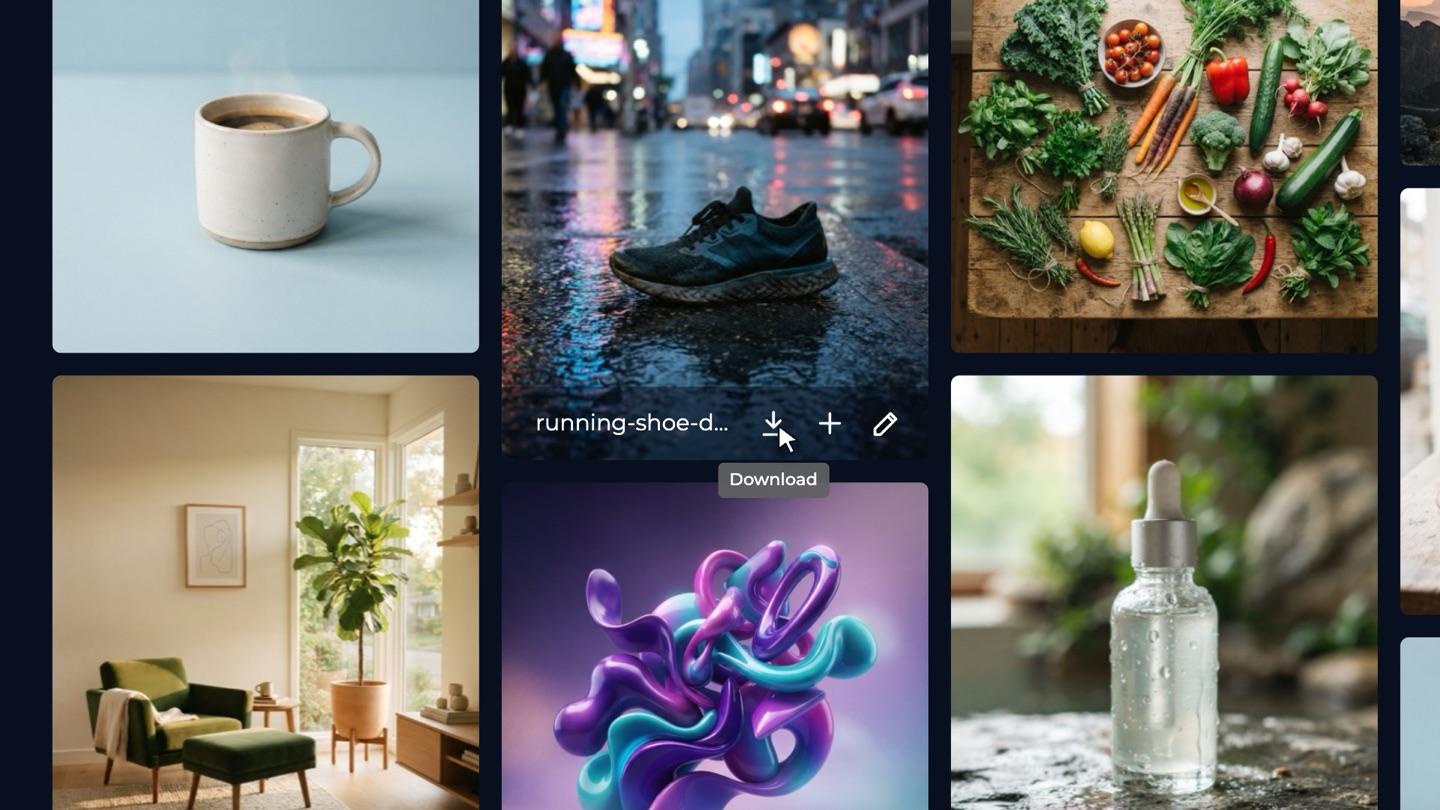
- Move your mouse over the image you want to keep.
- Click the download icon (Download) in the bar at the bottom of the image. You can also click the image to open it larger and download it from there.
💡 TIP:
Store important images in a reliable cloud service or create a local backup to prevent data loss.
✅ Your image is now safely backed up.
Recommended best practices
If you regularly generate images, these best practices can help you stay organized:
-
Download important images immediately after creation.
-
Use a clear folder structure, for example by project and date.
-
Schedule a weekly review of your image history if you create many images.
What happens if I miss the deadline?
After the 30-day retention period, images are automatically and permanently deleted. Recovery is not possible.
If you believe an image was removed in error, please contact our support team immediately and provide the following details:
-
your account name
-
the image name
-
the creation date
We will investigate your request, but recovery cannot be guaranteed.
Privacy & security
The 30-day retention period is part of our data minimization and secure data processing practices.
For more information about how we process and protect your data, please refer to our 🔗 Privacy Policy.
FAQ
Will I receive a reminder before my images are deleted?
We currently do not guarantee automated reminders before the retention period expires. Please check your image history regularly.
Can I extend the storage period for specific images?
We do not currently offer automatic storage extensions. If you want to keep images long term, please download them before the 30-day period ends.